Custom rPPG for Clinical Kiosk Cameras: Training Guide
An industry guide to custom rPPG clinical kiosk camera training, covering kiosk optics, edge hardware, data collection, and the research behind camera-specific model design.
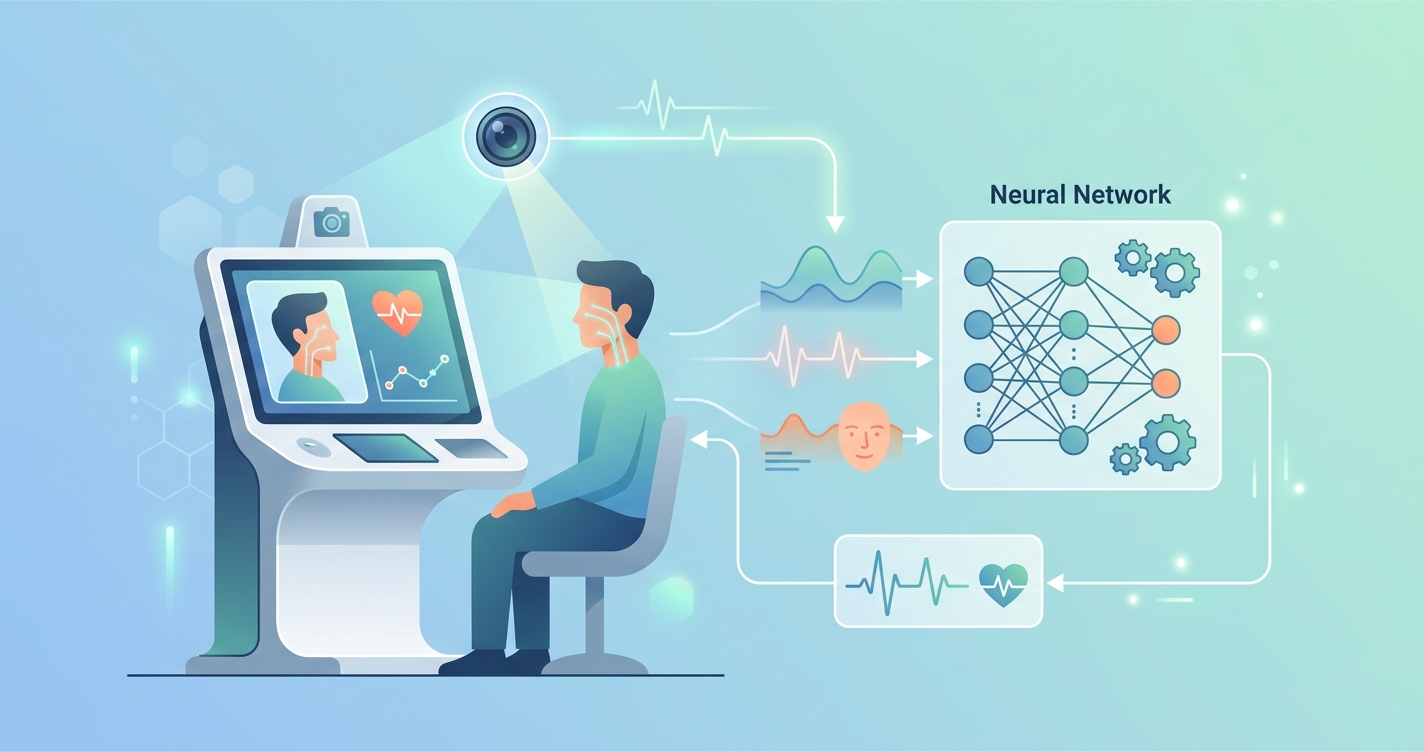
Custom rPPG clinical kiosk camera training is becoming a serious engineering topic for point-of-care device teams, not just a lab curiosity. Clinical kiosks sit in a strange middle ground: they are more controlled than home telehealth, but far messier than benchmark datasets. Camera position is fixed, enclosure geometry is fixed, lighting can be designed, and the compute budget is known ahead of time. At the same time, real kiosks still deal with height variation, glasses, darker skin tones, waiting-room lighting spill, and impatient users who do not hold still for long. That is why kiosk teams increasingly train camera-specific rPPG models instead of trying to reuse a generic webcam pipeline.
"Camera-based techniques monitor HR, RR, and skin temperature in static conditions within acceptable ranges for certain applications, but the research gaps are real-time scenarios, moving subjects, and diverse populations." - Selvaraju et al., Sensors (2022)
A kiosk is one of the better places to solve those gaps because the hardware can be designed around them. The real question is not whether rPPG can run in a kiosk. It is how much custom training is needed for a given camera, enclosure, illumination stack, and edge processor.
Why custom rPPG clinical kiosk camera training matters
Clinical kiosks are not generic cameras bolted to a wall. They are productized systems with a known user distance, known field of view, known mounting angle, and a narrow workflow. That sounds simple, but it changes almost every part of the rPPG pipeline.
A 2025 systematic review by Bhutani, Alian, Fletcher, Menon, and Elgendi in Communications Medicine looked at health kiosks published between 2013 and 2023 and found that blood pressure was the most frequently measured vital sign, appearing in 34% of the reviewed studies, while cardiovascular disease detection was the primary motivation in 56% of studies. The review also pointed to the same recurring problems device builders still face: limited performance testing, limited user-experience evaluation, and weak standardization across kiosk designs.
That matters for rPPG because a kiosk program cannot rely on broad claims about "camera-based vitals" in the abstract. It needs to answer very specific build questions:
- Which sensor works best at the kiosk's fixed face distance?
- Does the image signal processor preserve enough temporal fidelity for pulse extraction?
- How much active illumination is needed to stabilize the signal across skin tones and ambient light conditions?
- Can the model run locally on the kiosk SoC without slowing the user flow?
- What training data reflects actual kiosk posture, motion, and occlusion patterns?
If those answers are wrong, the kiosk may still capture a face video, but the physiological signal quality will drift long before anyone notices.
The training pipeline for a clinical kiosk camera
The best way to think about a kiosk build is as a camera-and-enclosure training problem, not just a model-selection problem. Teams usually move through four stages.
1. Hardware characterization
The camera module comes first. Resolution alone does not tell you much. Teams need to document rolling versus global shutter behavior, exposure control, frame-rate stability, color processing, compression artifacts, and how the ISP handles auto white balance and temporal denoising. Those "helpful" image enhancements often damage subtle pulse information.
This is one reason a kiosk builder benefits from the same logic discussed in Why One-Size-Fits-All rPPG Models Fail. The signal is shaped by the sensor and its processing chain. A model trained on one camera stack often learns the quirks of that stack.
2. Enclosure and illumination design
Kiosks usually have an advantage over laptops and phones: the imaging geometry can be constrained. The team can decide where the face should be, how much background should appear, whether illumination comes from above or beside the display, and whether NIR support is necessary.
The 2020 clinical feasibility study by Paul et al. in Physiological Measurement is useful here. Working with 19 neonates, the team showed that pulse rate could be estimated with visible light and near-infrared light at 850 nm and 940 nm, with estimated pulse rate as close as 3 beats per minute in artifact-free segments. More interesting than the headline result is what they said about the hard part: motion, interfering light sources, medical devices, and the challenge of finding reliable regions of interest. Those are exactly the issues kiosk designers can reduce with better camera placement and better lighting geometry.
3. Paired data collection on the target kiosk
This is the part many teams try to shortcut. It usually backfires.
Custom kiosk training needs paired capture from the real camera plus reference sensors recorded on the same participants. That dataset should include the conditions the kiosk will actually see:
- users of different heights and skin tones
- glasses, masks where relevant, and partial facial occlusion
- seated and standing use
- different clinic lighting conditions across the day
- slight lean-in, lean-back, and head-turn behavior
- short acquisition windows rather than relaxed multi-minute recordings
The 2022 systematic review by Selvaraju et al. is still one of the cleanest summaries of the field. Across 104 articles on continuous camera-based vital sign monitoring, the authors concluded that HR and RR are workable under ideal conditions, but major research gaps remain around real-time use, moving subjects, heterogeneous populations, and the accuracy of blood pressure and SpO2 estimation. For kiosk teams, that is less a warning than a design brief: build the dataset around the exact real-world conditions that public datasets miss.
4. Deployment tuning on edge hardware
A clinical kiosk is usually expected to respond fast. Nobody wants to stand at a pharmacy kiosk or clinic intake station while a cloud round-trip spins in the background.
That makes edge deployment part of the training story. Kolosov et al. reported in Sensors (2023) that camera-based HR and respiratory-rate monitoring could be deployed across off-the-shelf edge devices, with Jetson Xavier NX leading on throughput and efficiency while Raspberry Pi 4 performed well on value. For kiosk OEMs, the takeaway is practical: architecture choice and model size should be decided with the target hardware in hand, not after the model is already fixed.
Comparison table: generic rPPG pipeline vs kiosk-specific custom training
| Dimension | Generic public-dataset rPPG | Custom clinical kiosk build |
|---|---|---|
| Camera assumptions | Webcam or phone camera | Exact kiosk camera module and ISP |
| User distance | Variable, often uncontrolled | Narrow target range set by enclosure |
| Lighting | Ambient room light | Controlled front-lighting or mixed ambient + active illumination |
| Motion profile | Desktop movement | Short intake-session motion, lean-in, repositioning |
| Face framing | User-dependent | Designed UI and fixed mount geometry |
| Training data | Public datasets such as PURE or UBFC | Paired data from the kiosk camera in the intended environment |
| Compute target | Desktop GPU or generic mobile | Fixed edge SoC inside kiosk hardware |
| Reliability strategy | Hope transfer generalizes | Train and validate around the deployment stack |
| Best fit | Demos and exploratory pilots | Production kiosk programs |
The table gets at the core issue. A kiosk is controlled enough to justify custom training, and that same control is exactly what makes a custom build valuable.
Industry applications for kiosk-specific rPPG
Self-service intake and triage stations
Hospitals and outpatient networks are under pressure to move more basic intake work away from staff-heavy desks. A kiosk that can guide positioning, capture a usable facial video, and estimate pulse-related features locally fits that shift far better than a bring-your-own-device model.
Retail clinic and pharmacy screening
Retail healthcare environments care about speed, sanitation, and repeatability. A kiosk enclosure can standardize distance and lighting in ways that a tablet cannot. That makes it a good candidate for camera-specific model optimization, especially when the same kiosk hardware may be deployed across hundreds of locations.
Chronic disease screening workflows
The Bhutani et al. review found that cardiovascular disease detection was the most common motivation in the health-kiosk literature. That is one reason OEM teams keep revisiting rPPG for kiosk form factors: a camera-based layer can fit naturally into broader screening workflows without adding more wearables or contact sensors to the first interaction.
Specialized care environments
Not every kiosk looks like a pharmacy booth. Some are built for maternal health, pediatrics, workplace clinics, or remote health stations. In those cases, camera choice, working distance, and acceptable acquisition time can all shift. That is where Custom rPPG Models for IR and Thermal Cameras: How They Work becomes relevant too. The spectral band may need to change with the use case.
Current research and evidence
A few papers matter more than the rest when a product team is deciding whether custom kiosk training is worth the effort.
- Bhutani et al., Communications Medicine (2025). This systematic review on vital-signs-based healthcare kiosks shows that kiosk hardware is already being used for screening workflows, but that performance reporting and standardization remain thin. That gap is exactly where custom model programs tend to start.
- Selvaraju et al., Sensors (2022). The review of continuous camera-based vital sign monitoring found that camera-based HR and RR monitoring can be acceptable in controlled conditions, while accuracy drops once motion, distance, and heterogeneous populations enter the picture.
- Paul et al., Physiological Measurement (2020). Their neonatal feasibility study is not a kiosk paper, but it is a sharp reminder that wavelength choice, ROI selection, and artifact handling can change the result materially even in clinically supervised environments.
- Paul et al., Biomedical Engineering Online (2021). This work on spatio-temporal and spectral feature maps showed useful differences between pulsatile foreground regions and noisy background regions, and reported advantages for near-infrared light in photoplethysmography imaging. For kiosk teams, that supports deliberate ROI and wavelength engineering rather than simple face-crop processing.
- Kolosov et al., Sensors (2023). Their hardware paper helps translate rPPG from research code into embedded deployment. Kiosk teams need that mindset early, especially when the local processor will also run UI, networking, and possibly device-management tasks.
- Yu et al., CVPR 2022 / PhysFormer. Transformer-style temporal modeling improved remote physiological measurement under harder motion conditions. Even so, the architecture story does not replace sensor-specific training. It just gives teams a stronger starting point.
Taken together, the literature points in a pretty clear direction. The more structured the deployment environment is, the more sensible it becomes to train on the actual camera that will ship.
The future of custom kiosk camera training
Three trends look especially relevant.
First, kiosk builders are likely to collect better deployment data. Early literature often reports proof-of-concept performance and then stops. Commercial programs do not have that luxury. They need repeatability across sites, technicians, firmware revisions, and lighting changes.
Second, edge hardware is catching up. That does not mean every kiosk should run a giant transformer. It means teams have more room to choose architectures that preserve temporal signal quality without falling apart on cost or thermals.
Third, point-of-care hardware is becoming more camera-aware. I suspect that over the next few years, the strongest kiosk programs will not treat the camera as a commodity part. They will tune optics, ISP settings, enclosure geometry, and model training as one system. That is the real shift.
Frequently asked questions
Why is a clinical kiosk easier than home telehealth for rPPG?
Because the kiosk can control distance, framing, and often lighting. That does not make the problem easy, but it removes a lot of the variability seen in laptop and smartphone use.
Do kiosk teams always need near-infrared cameras?
No. RGB can work in some workflows. But teams often evaluate NIR when ambient light is inconsistent, privacy matters, or the kiosk will operate in more tightly controlled illumination conditions.
Can public rPPG datasets be enough for a kiosk pilot?
They can be enough for an early demo. They are usually not enough for a production decision, especially if the kiosk camera, ISP behavior, and user workflow differ from the source data.
What is the biggest mistake in kiosk rPPG programs?
Treating the camera as interchangeable. In practice, the camera module, optics, lighting, and embedded processor shape the signal and the model together.
A lot of healthcare kiosk research still reads like the industry is proving the category exists. Product teams are further along than that. They are deciding which camera stack to ship, what data to collect, and how much optimization belongs on-device. If your team is building a kiosk around a specific sensor and needs a camera-specific model path, Circadify is building custom programs for that workflow at circadify.com/custom-builds?utm_source=tryvitalsapp.com&utm_medium=referral&utm_campaign=microsite_blog.